Configuration
All EMPI linkage behavior is controlled through dbt seed CSVs and project vars. No code changes are needed to tune matching.
Config editor
The EMPI Config Editor provides a visual interface for managing all seed configuration. Instead of hand-editing CSV files, you can add, edit, disable, and validate rules through a browser-based UI, then export changes back to your dbt project.
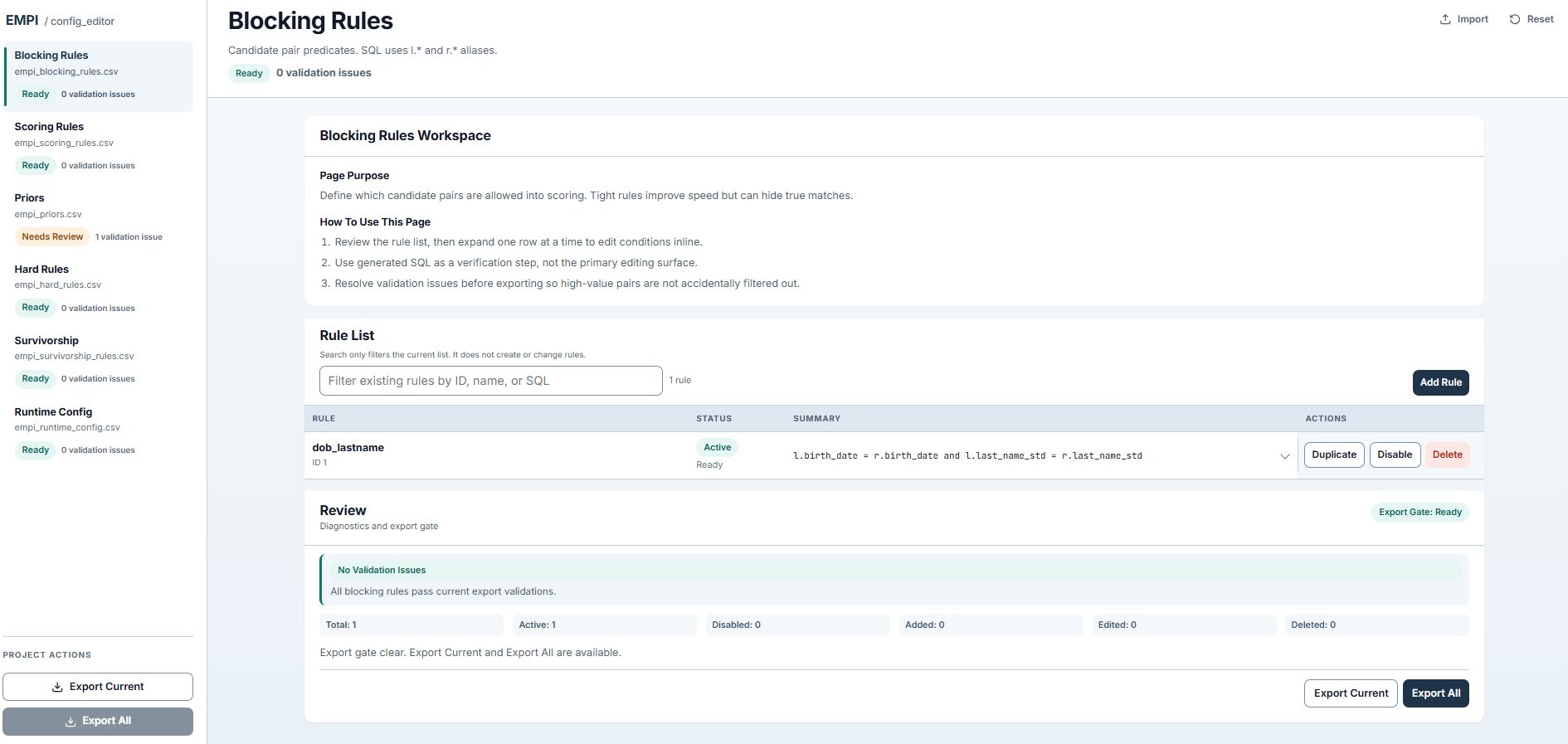
Blocking rules editor with validation, status tracking, and export controls.
The editor includes pages for each seed file (blocking rules, scoring rules, priors, hard rules, survivorship, runtime config) with inline validation that catches issues before you export.
Seed files
empi_runtime_config
Global thresholds and toggles that control matching behavior.
| Key | Default | Purpose |
|---|---|---|
probability_two_random_records_match | 0.001 | Splink prior: base rate for random matches |
upper_threshold | 0.94 | Pairs scoring at or above this are auto-matched |
lower_threshold | 0.50 | Pairs scoring below this are auto-rejected |
disable_new_gating | false | When true, skip incremental gating logic |
allow_within_source_matches | true | Allow matching records from the same source system |
persist_scored_pairs | false | Persist raw scored pairs for debugging |
persist_explain | true | Persist per-column match explanations |
explain_focus | all | Which pairs to explain: all, clerical, matches |
Pairs with scores between lower_threshold and upper_threshold are routed to the manual review work queue.
empi_blocking_rules
Blocking predicates that control candidate pair generation. Each enabled rule generates pairs where the predicate is true.
rule_id,rule_name,enabled_bool,predicate_sql
1,dob_lastname,true,"l.birth_date = r.birth_date and l.last_name_std = r.last_name_std"
2,email_exact,true,"l.email_std = r.email_std"
3,ssn_exact,true,"l.social_security_number = r.social_security_number"
enabled_bool: set tofalseto disable a rule without deleting it.predicate_sql: SQL expression usingl.andr.aliases for left/right records. References standardized (_std) column names.
More blocking rules increase recall (fewer missed matches) but also increase the number of candidate pairs to score. Tune for your data volume.
empi_scoring_rules
Splink comparison definitions that determine how each field contributes to the match probability.
column_name,method,threshold_high,threshold_low
first_name_std,name_fuzzy,0.92,0.80
last_name_std,name_fuzzy,0.92,0.80
birth_date,date,1.00,1.00
social_security_number,exact,1.00,1.00
email_std,exact,1.00,1.00
phone_digits,exact,1.00,1.00
address_std,name_fuzzy,0.92,0.80
| Method | Behavior |
|---|---|
exact | Binary match/non-match |
name_fuzzy | Jaro-Winkler similarity with high/low thresholds |
date | Date-specific comparison |
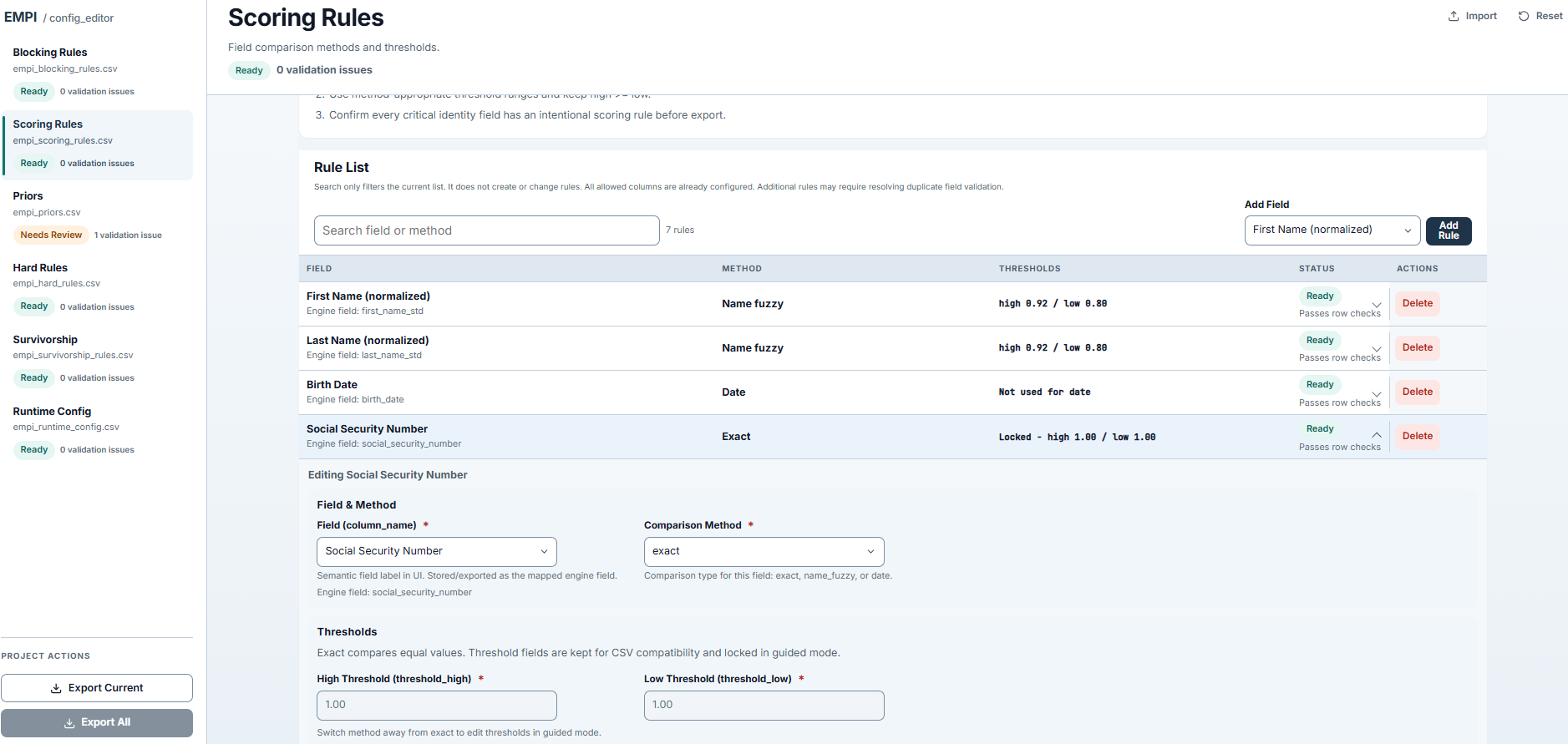
Scoring rules editor with comparison methods, thresholds, and inline field editing.
empi_priors
Fellegi-Sunter m and u probabilities for each comparison column. These represent the prior probability of agreement given that records are (m) or are not (u) a true match.
The package uses seeded priors rather than EM estimation, which provides deterministic, reproducible results across runs.
empi_hard_rules
Post-match disqualifiers. After scoring, any pair that triggers a hard rule is blocked from auto-matching regardless of score.
Example: if two records have an exact SSN match but completely different names, a hard rule can force that pair to clerical review.
empi_survivorship_rules
Per-attribute strategies for building the golden record. See Architecture: Survivorship for strategy details.
attribute_name,strategy,timestamp_col,priority_rank,priority_value
_default,source_priority,file_date,1,clinical
_default,source_priority,file_date,2,claims
first_name,most_frequent,,,
birth_date,most_frequent,ingest_datetime,,
social_security_number,most_recent,file_date,,
address,most_recent,file_date,,
The _default rows set the fallback strategy. Attribute-specific rows override the default for that field.
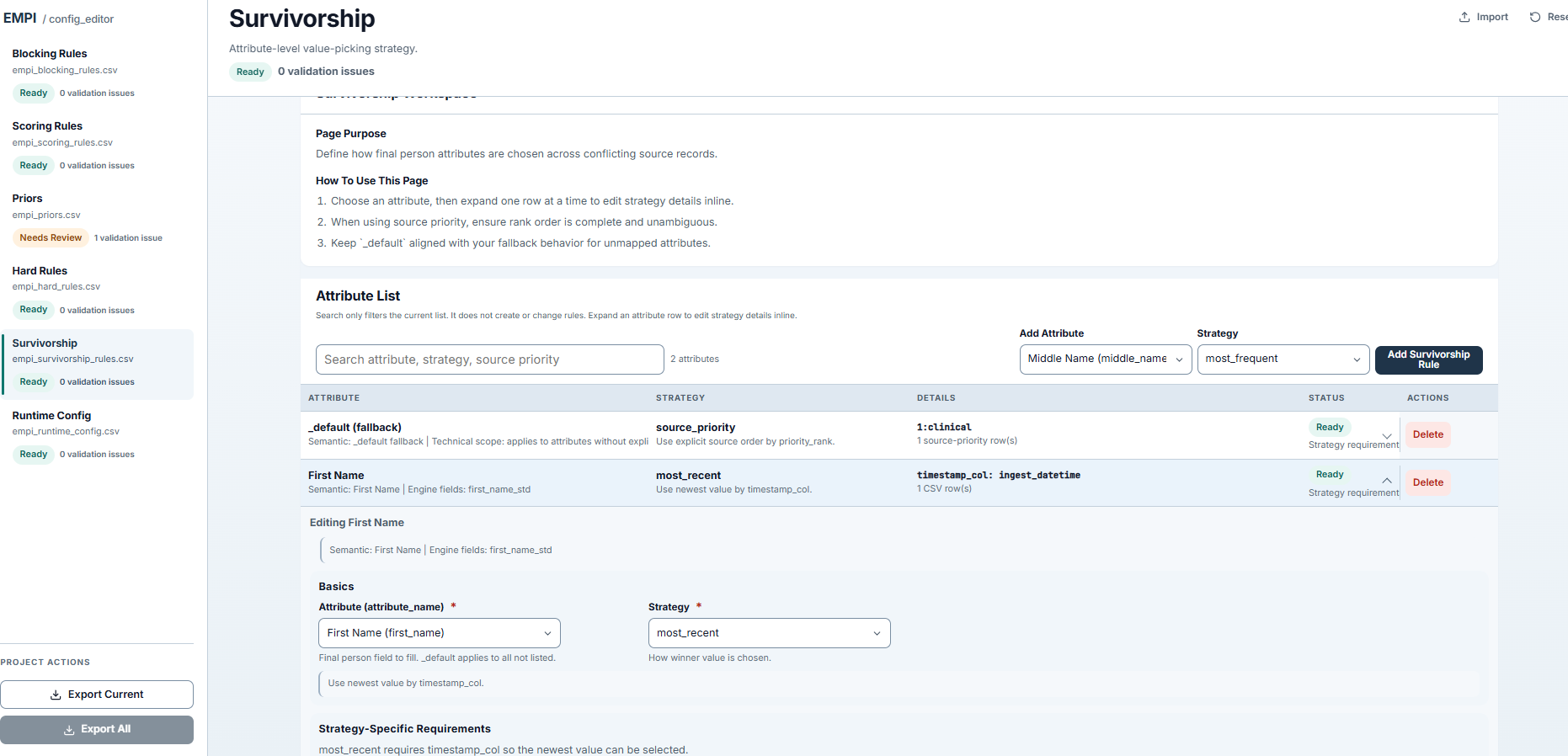
Survivorship editor with per-attribute strategy selection, priority ordering, and fallback configuration.
Project vars
Set these in your host project dbt_project.yml:
| Variable | Type | Default | Purpose |
|---|---|---|---|
claims_enabled | boolean | true | Include claims-domain sources in linkage |
clinical_enabled | boolean | true | Include clinical-domain sources in linkage |
provider_attribution_enabled | boolean | true | Remap provider_attribution in input layer |
empi_source_person_limit | integer | null | Row cap for development runs |
empi_enable_case_suite | boolean | false | Enable package regression test suite |
Tuning workflow
A typical tuning cycle:
- Run the pipeline with default configuration.
- Review
work_queue: if too many pairs land in clerical review, raiseupper_thresholdor tighten blocking rules. - Spot-check
person_attrs: if survivorship picks unexpected values, adjust strategy or priority ordering. - Review
person_crosswalk: check cluster sizes for suspiciously large groups that may need hard rules or blocking refinement. - Iterate by editing seed CSVs and re-running
dbt seed+dbt build.